The live inspector: a workspace that moves while you watch
The inspector grows from a viewer into a live, keyboard-first workspace: every recorded event streams into an activity feed as it happens, a runs panel shows which agents are moving, ⌘K jumps to anything you have, ? reveals the whole keyboard layer — and loadable example projects plus a 60-second tour make the first five minutes self-explaining.


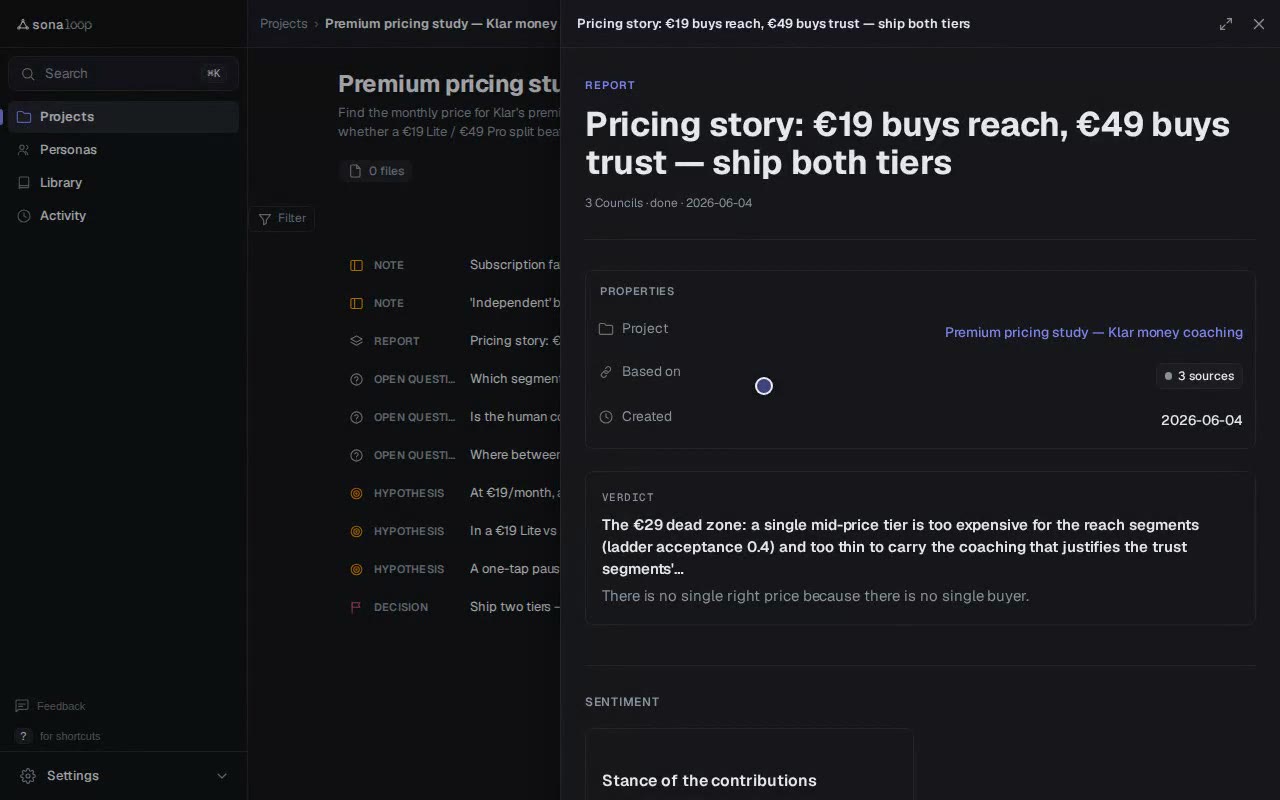
Until now the inspector was where you went to read what had already happened. With 0.2.0 it becomes the room where research happens: councils, reports, personas and decisions appear the moment they are recorded, whichever surface produced them — CLI, MCP agent, or the inspector itself. No refresh button, no stale tab.
Live by default
- An event bus under the services layer records everything that happens to your graph; /api/events streams it over SSE with replay and heartbeat, so the connection survives sleeps and proxies.
- The Activity page is the live feed of recently recorded research — every event links to its record — and open pages toast or auto-reload when something they show changes.
- The Runs panel answers "who is actually moving the plan right now?": a /runs page plus a live top-bar widget with per-project driver status, ready for cloud agents through the extension seam.
The whole app under your fingers
One shortcut registry now drives the entire keyboard layer: press ? anywhere for the generated cheat sheet, j/k and Enter work every list, g-prefixed jumps cover every section. The ⌘K palette gained a coverage registry — navigation commands are derived from the nav itself, and search spans every entity you have: projects, personas, councils, reports, notes. Type three letters, hit Enter, you are there.
A first run that explains itself
- Two polished example projects — a premium-pricing study and a positioning council — load on demand (`sonaloop load-example --all`) and remove just as cleanly, so the inspector is never an empty room on day one.
- An opt-in 60-second product tour walks the core surfaces with anchored spotlight steps; it offers itself once and never nags.
- A feedback button rides every page: a modal that stores locally, lists in a /feedback inbox and CLI, and can forward to a webhook.
- The in-app docs hub gains a "Working live" page describing exactly what the inspector itself offers — answers live where the questions come up.
Improvements
One mental model everywhere: lists are rows, and every row opens as a slide-over peek with its own shareable URL — or as a full page when you want to stay. Navigation slims to four items, with produced artifacts grouped under Library.
Structural web editing: create, edit and delete projects, personas and notes from the inspector with inline validation and CSRF-protected forms — no CLI required for the basics.
Long persona and project lists paginate, in the web lists and the MCP list tools alike.
Three new Jobs join the library — structured ideation (HMW reframe → diverge → converge), a willingness-to-pay pricing ladder, and first-class A/B tests with variant metadata on head-to-heads — plus an Adding-a-Job recipe and a taxonomy lint.
A one-sentence install with cold-start orientation and a first-steps checklist; catalog tools search, recommend and pull personas from sonaloop-data, with drift-safe sync for items you have edited locally.
Assets carry direction (inputs vs. deliverables) and exports auto-attach as deliverables; header count chips jump straight to their hypothesis and decision sections.
Full German/English coverage with a leak audit and a lint guard so untranslated strings cannot ship silently.
Fixes
Re-exporting a deliverable supersedes the stale asset record instead of stacking duplicates.
The walkthrough denylist matches whole words, not substrings.